When selling products online, image quality matters. Customers cannot physically touch or inspect a product, so they depend on product photos to understand what they are buying. A clean background and accurate product edges can make an image look more professional and attractive.
Two popular image editing services used for this purpose are Clipping Path and Background Removal. Although they are closely related, they are not exactly the same. Each service has a different purpose and works better for certain types of images.
In this guide, Graphics Prime explains the difference between clipping path and background removal and helps you choose the right service for your images.
A clipping path is a Photoshop-based technique used to create a precise outline around an object or product. The path is usually created with the Pen Tool to separate the subject from its original background.
The main benefit of a clipping path is its accuracy. It works especially well for products with clear and defined edges.
For example, clipping paths are commonly used for:
After creating the path, the background can be removed or changed without affecting the main product.
Depending on the complexity of the image, clipping paths can be divided into several categories.
Basic Clipping Path:
Suitable for products with simple and smooth shapes, such as boxes, books, or simple bottles.
Complex Clipping Path:
Used for products with curves, holes, multiple edges, or more detailed shapes.
Multiple Clipping Path:
Creates separate paths for different parts of a product. This is useful when specific areas need individual color or editing adjustments.
Compound Clipping Path:
Used when a product contains several internal areas or holes that need to be separated carefully.
Background removal is the process of separating the main subject from its existing background. The unwanted background can then be deleted, replaced, or made transparent.
Background removal is a broader term because different techniques can be used depending on the image.
For simple products, a clipping path may be the best method. For images with hair, fur, transparent objects, or soft edges, image masking or other Photoshop techniques may provide a better result.
Background removal is commonly used for:
The goal is to make the main subject stand out clearly.
The easiest way to understand the difference is to think of clipping path as a technique and background removal as the final editing result.
A clipping path creates a precise selection around an object. Background removal uses that selection or another editing technique to remove the unwanted background.
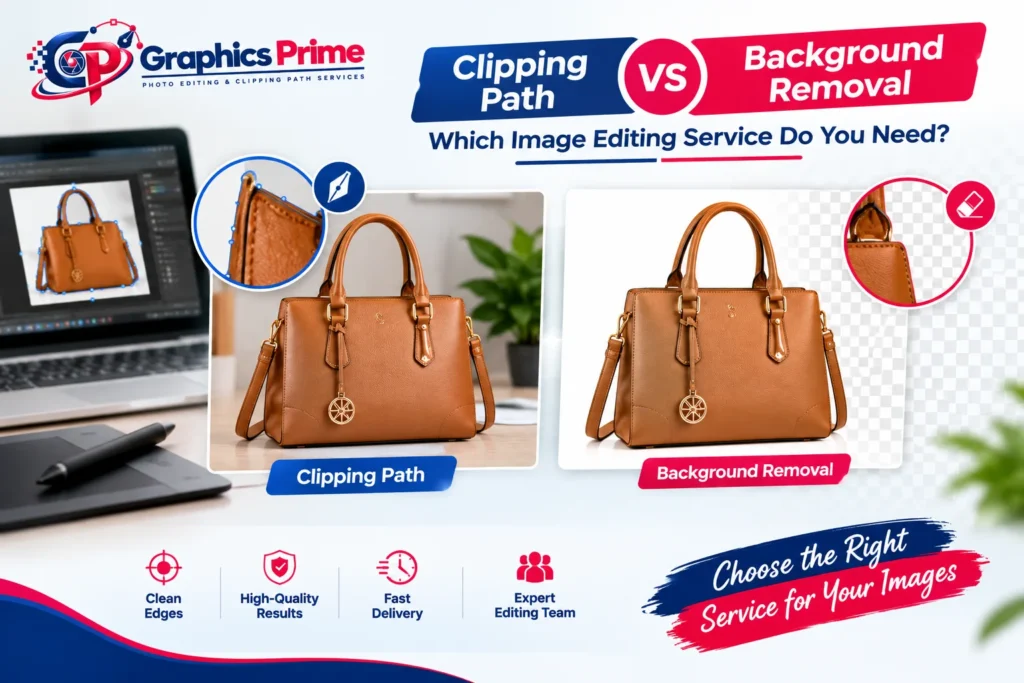
For example, imagine you have a photo of a handbag on a table.
With a clipping path, an editor carefully draws a path around the handbag using the Pen Tool. Once the path is complete, the background can be removed.
With background removal, the main goal is simply to separate the handbag from the background. Depending on the image, the editor may use a clipping path, layer mask, alpha channel, or another Photoshop method.
Clipping path is an excellent choice when your product has hard, clear, and well-defined edges.
If you sell products online and need hundreds of product photos with clean edges, clipping path can provide consistent results.
It is especially useful when you need to:
Clipping path is also useful when accuracy is more important than speed.
Background removal is a better choice when you simply need the subject separated from an unwanted background and the image contains different types of edges.
For example, a portrait with hair, a furry product, or a transparent object may not be suitable for a simple clipping path.
Background removal can involve techniques such as:
The right technique depends on the subject and background.
Hair and fur can be difficult to edit because they contain many small and soft edges.
A standard clipping path may not capture every strand naturally. If you use a simple path around the outside of the hair, the final image may look rough or unnatural.
For these images, image masking is often a better solution.
Masking allows editors to preserve fine details such as:
The result can look much more natural after the original background is removed.
Both services can be useful for eCommerce businesses. The best choice depends on your product type.
For products with hard edges, clipping path is often the preferred option.
For products with complicated edges or soft details, background removal using masking techniques may be more suitable.
For a large online store, you may even need both services. Different products can require different editing techniques to achieve the same professional appearance.
A clean background can make your product easier to see and understand. It also creates a more consistent appearance across your online store.
Professional product images can help you:
A clean image keeps the customer’s attention on the product instead of the background.
Using similar backgrounds, sizes, and editing styles can make your website look more organized.
Well-edited images can give your store a polished and reliable appearance.
Removing distractions allows customers to focus on the shape, texture, and important features of the product.
Clean product images can be adapted for websites, catalogs, social media, advertisements, and online marketplaces.
Background removal may look simple, but poor editing can damage the quality of a product image.
Some common mistakes include:
Rough edges:
Poor selections can leave visible pieces of the old background.
Missing details:
Fine product details may accidentally be removed.
Unnatural shadows:
Removing the original background without considering the product’s shadow can make the image look unrealistic.
Wrong colors:
Aggressive editing can affect the original product color.
Uneven results:
Using different editing styles across a product catalog can make the website look inconsistent.
Professional editing helps avoid these problems.
Graphics Prime provides professional clipping path and background removal services for businesses, photographers, eCommerce stores, agencies, and online sellers.
Our image editing services include:
Our team focuses on clean edges, accurate selections, consistent quality, and natural-looking results.
Whether you have a few product images or a large bulk order, choosing the right editing technique can help you achieve a professional final result.
Here is a simple guide:
| Image Type | Recommended Service |
|---|---|
| Simple product | Clipping Path |
| Product with curves | Complex Clipping Path |
| Product with holes | Complex/Multiple Clipping Path |
| Product requiring color changes | Multiple Clipping Path |
| Hair or fur | Image Masking |
| Transparent objects | Image Masking |
| Simple background removal | Clipping Path or Background Removal |
| eCommerce product catalog | Clipping Path + Background Removal |
| Portrait with detailed hair | Background Removal + Masking |
The important thing is that there is no single editing method that works perfectly for every image. A professional editor should first understand the image and then select the most suitable technique.
Clipping path and background removal are both valuable image editing services, but they serve slightly different purposes. Clipping path is mainly a precise selection technique, while background removal is the process of separating the subject from its unwanted background.
If you have products with clean, hard edges, clipping path can be an excellent choice. If your images contain hair, fur, transparent areas, or complicated edges, masking-based background removal may deliver a more natural result.
At Graphics Prime, we use the appropriate editing technique based on the requirements of each image. Our goal is simple: clean edges, professional presentation, consistent quality, and images that are ready for your business.